A clear trade-management layer for MT5

You choose the trade.
Mamba manages the protection.

Mamba connects to your MetaTrader 5 account after entry and applies the rules you choose for take profit, stop loss, breakeven, and trailing protection.

Post-entry management · Your account stays with your broker

ONE TRADE · MT5 PROTECTION ON
01Place your trade

You decide the entry and direction in MT5.

02Mamba protects it

Your selected mode manages the open position.

03Exit by your rules

TP, SL, breakeven or trailing closes the trade.

TP / SL / BE / TRAILINGRULES ACTIVE
01The simple idea

Trading decisions stay with you. Mamba handles the repetitive protection work after a position is open, so the plan you set is easier to follow.

Two ways to manage a position

Choose the mode that
fits your plan.

Both modes work after entry. They differ in how protection responds when price moves.

V1Growth mode

Smart breakeven

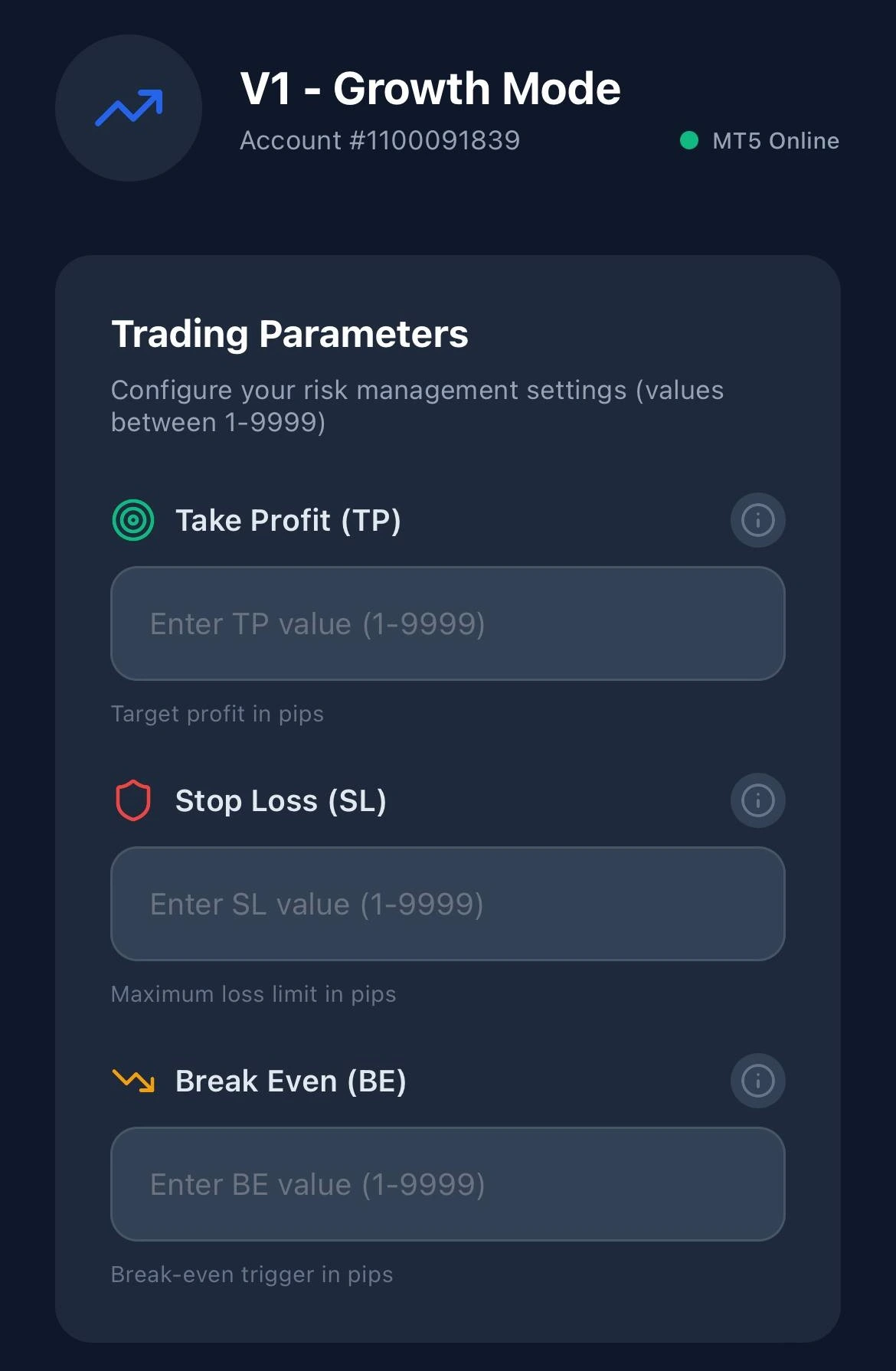
Set a target and a protective stop. When the position reaches your chosen breakeven trigger, Mamba can move the stop to entry so the original risk is removed.

TP
Profit target
SL
Initial risk limit
BE
Move stop to entry
Mamba V1 Growth settings showing take profit, stop loss, and breakeven fields
V1 settings in the Mamba app
Watch the V1 example
V2Superscalping mode

Dynamic trailing stop

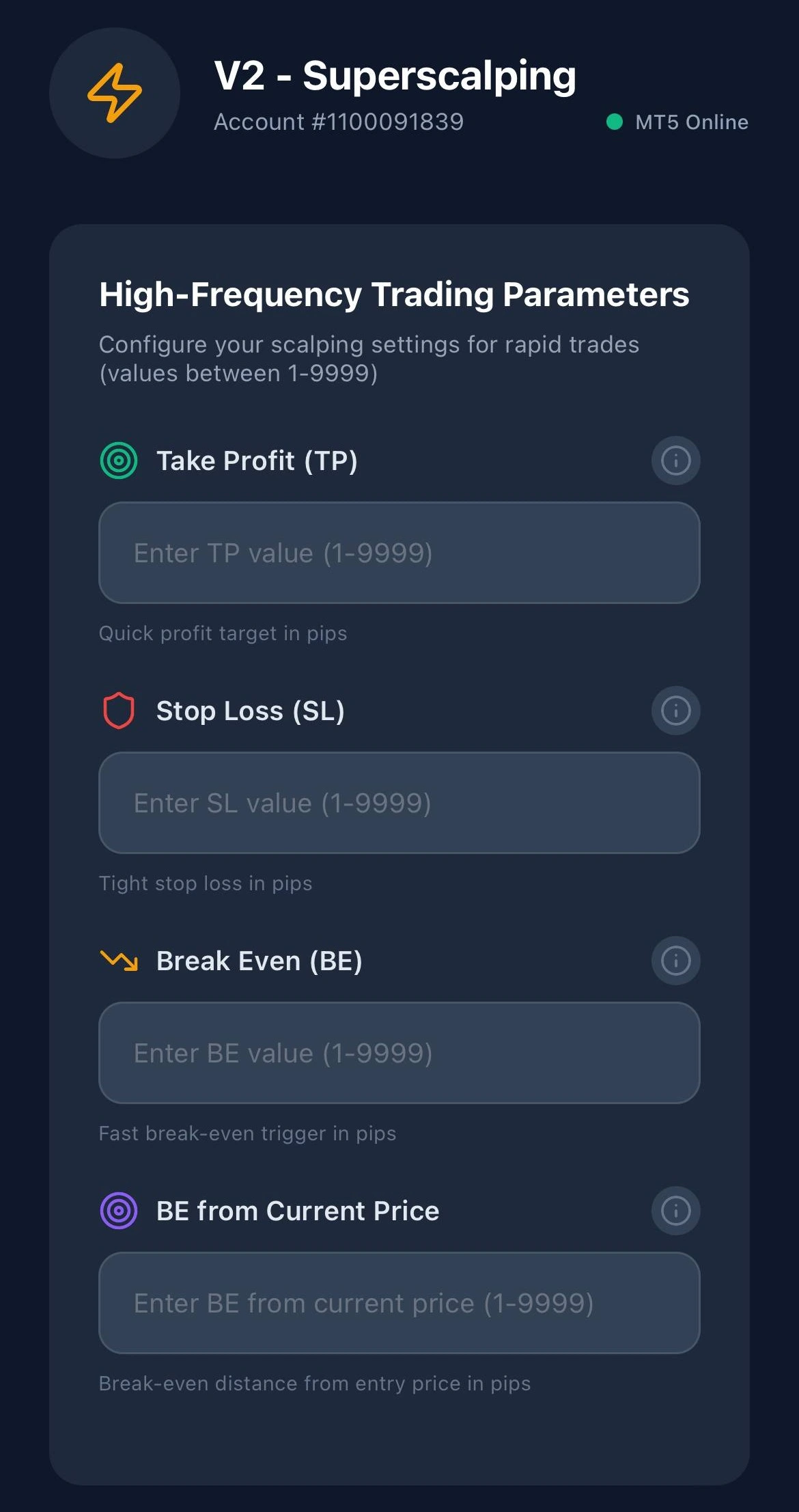
Set a trailing distance and let the stop follow favourable price movement. The stop can tighten as the trade moves, while the target and risk rules stay visible.

TP
Optional target
SL
Initial risk limit
TRAIL
Follow price
Mamba V2 Superscalping settings showing trailing stop controls
V2 settings in the Mamba app
Watch the V2 example

Illustration only. The examples show how settings relate to one another. They are not trade signals or a recommended risk setup. Choose values for your own instrument, strategy, and risk tolerance.

From account creation to first protected trade

A five-step
start.

Start in the member area, complete the IB and MT5 checks, then finish your app setup before placing a protected trade.

  1. 01

    Create your member account

    Register in the Mamba member area first. This is where you will submit verification details and manage your setup.

    Create account
  2. 02

    Request IB verification

    Inside the dashboard, choose the new or existing Valetax path and submit the email linked to your broker account.

    Open member area New Valetax account
  3. 03

    Add your MT5 account

    After IB verification has been requested, add the MT5 account number you want Mamba to manage.

    Go to dashboard
  4. 04

    Request whitelist approval

    Submit the whitelist request for that account and wait for approval before relying on Mamba to manage live positions.

  5. 05

    Download the app and start

    Install Mamba, sign in, choose V1 or V2, set your TP, SL, breakeven or trailing rules, then place trades in MT5.

    See app links

Ready when you are

Put your rules
in your pocket.

Download Mamba Management for iPhone or Android. You can also use the member area to manage your account and verification steps.

Create a member account
Download on theApp Store Get it onGoogle Play

On desktop? Choose your store in the download section above.

Broker relationship

About the Valetax introduction

Mamba Management is operated by Rahsia Bumi Enterprise and acts as an Introducing Broker for Valetax. We may receive compensation for referred accounts. Mamba is not a broker: we do not hold client funds, execute trades on your behalf, or provide investment advice.

Read the full risk disclosure

Questions before you start?

See the flow in action
then take your first step.

✈
CommunityAdmin